Shading Tools
A downloadable Blender Addon
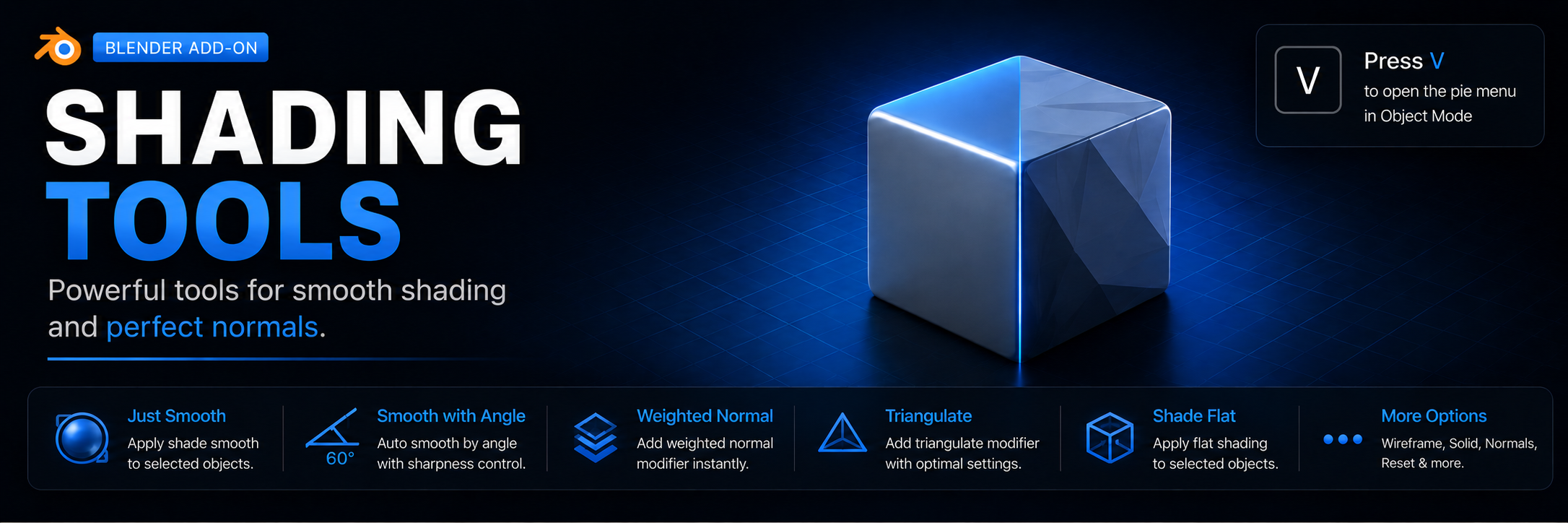
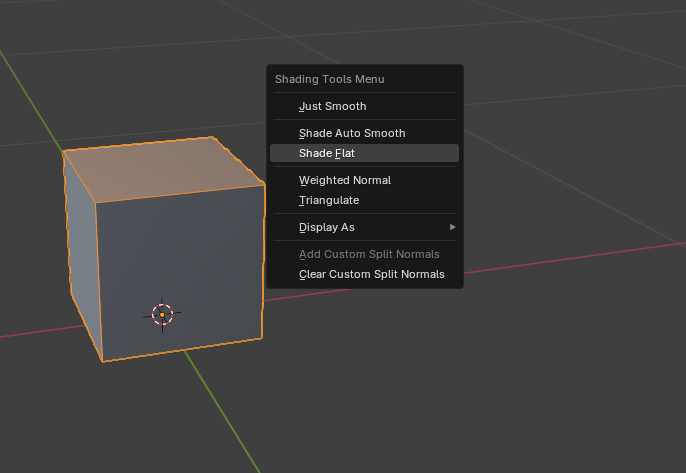
Shading Tools is a lightweight but highly useful Blender addon that groups frequently used shading, normals, and display operations into a single convenient menu. The menu is invoked by pressing V in Object Mode, allowing you to quickly apply the desired settings to selected mesh objects.
Features
- Just Smooth – enables Smooth Shading for selected objects.
- Shade Auto Smooth – adds a Smooth by Angle modifier with a user‑adjustable angle threshold (30°, 45°, 60°, 85°, 180°). You can also toggle Ignore Sharpness off. Any existing auto‑smooth modifier is automatically removed.
- Shade Flat – switches objects to Flat Shading.
- Weighted Normal – adds a Weighted Normal modifier with weight set to 100, keeping sharp edges and using face influence. The modifier is placed at the end of the stack.
- Triangulate – adds a Triangulate modifier with quad method «Fixed» and ngon method «Beauty», preserving custom normals. Also placed at the end.
- Display As – a submenu for quickly changing the viewport display mode of objects: Wire, Solid, or Textured.
- Two buttons allow you to lock and clear custom normals. This works for both single and multiple objects.
All modifiers added by the addon (Smooth by Angle, Weighted Normal, Triangulate) are automatically reordered to the bottom of the modifier stack in a fixed order, which simplifies management and prevents interference with other modifiers.
Requirements
- Blender version 4.0 or later (tested with 4.5).
━━━━━━━━━━━━━━━━━━━━━━━━━━━━━━━━
Shading Tools — это небольшой, но очень полезный аддон для Blender, который объединяет часто используемые операции по управлению шейдингом, нормалями и отображением объектов в одно удобное меню. Меню вызывается клавишей V в режиме Object Mode, что позволяет мгновенно применять нужные настройки к выделенным меш-объектам.
Возможности
- Just Smooth – просто включает режим Smooth Shading для выбранных объектов.
- Shade Auto Smooth – добавляет модификатор Smooth by Angle с настраиваемым порогом угла (30°, 45°, 60°, 85°, 180°). Вы можете также отключить учёт острых рёбер (опция Ignore Sharpness). Предыдущий модификатор автосглаживания автоматически удаляется.
- Shade Flat – переключает объекты на Flat Shading.
- Weighted Normal – добавляет модификатор Weighted Normal с весом 100, сохраняя острые рёбра и учитывая влияние граней. Модификатор помещается в конец стека.
- Triangulate – добавляет модификатор Triangulate с методом для квадов «Fixed» и для нгонов «Beauty», сохраняя пользовательские нормали. Также помещается в конец стека.
- Display As – подменю для быстрой смены режима отображения объектов в 3D-виде: Wire, Solid, Textured.
- Две кнопки позволяющие фиксировать и очищать кастомные нормали. Работает как для одного так и для нескольких объектов
Все модификаторы, добавляемые аддоном (Smooth by Angle, Weighted Normal, Triangulate), автоматически упорядочиваются в конце стека модификаторов в заданном порядке, что упрощает управление и не нарушает другие модификаторы.
Требования
- Blender версии 4.0 и выше (проверено на 4.5).
Download
Install instructions
- Download the
.pyfile. - In Blender, go to Edit → Preferences → Add-ons.
- Click Install…
- Select the downloaded file, and enable the addon
━━━━━━━━━━━━━━━━━━━━━━━━━━━━━━━━
- Скачайте .py файл.
- В Blender откройте Edit → Preferences → Add-ons.
- Нажмите Install…
- Выберите скачанный файл и активируйте аддон
Development log
- Update 1.512 hours ago
Leave a comment
Log in with itch.io to leave a comment.