Object Linked Widget
A downloadable Blender Adddon
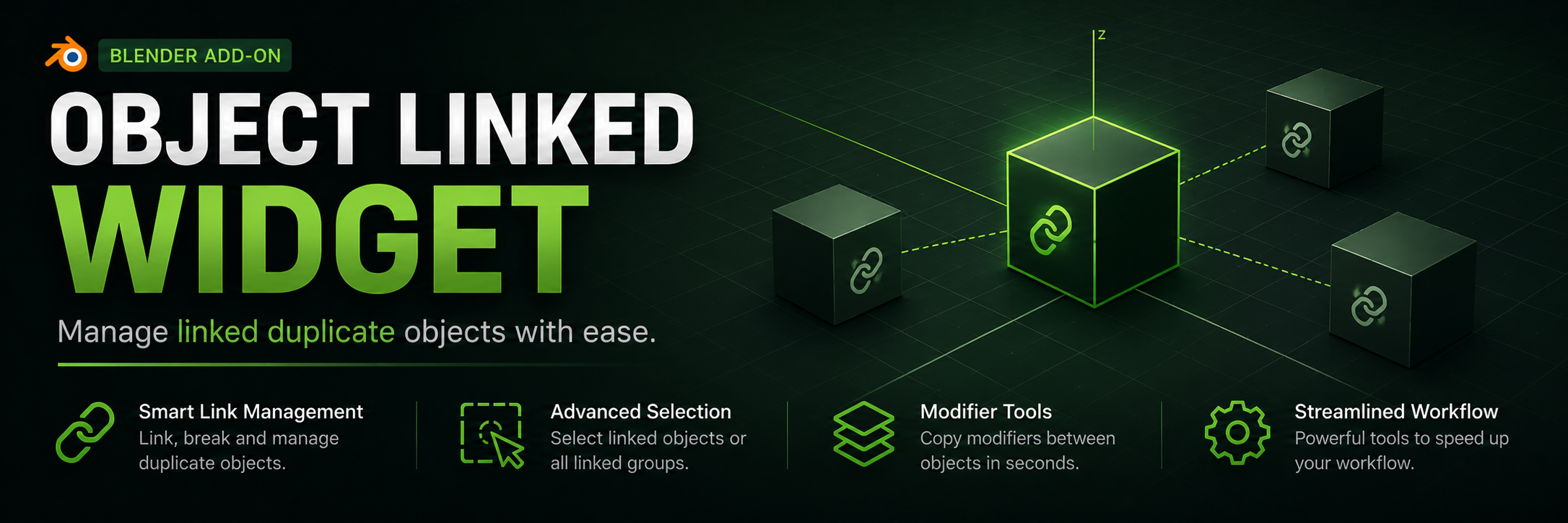
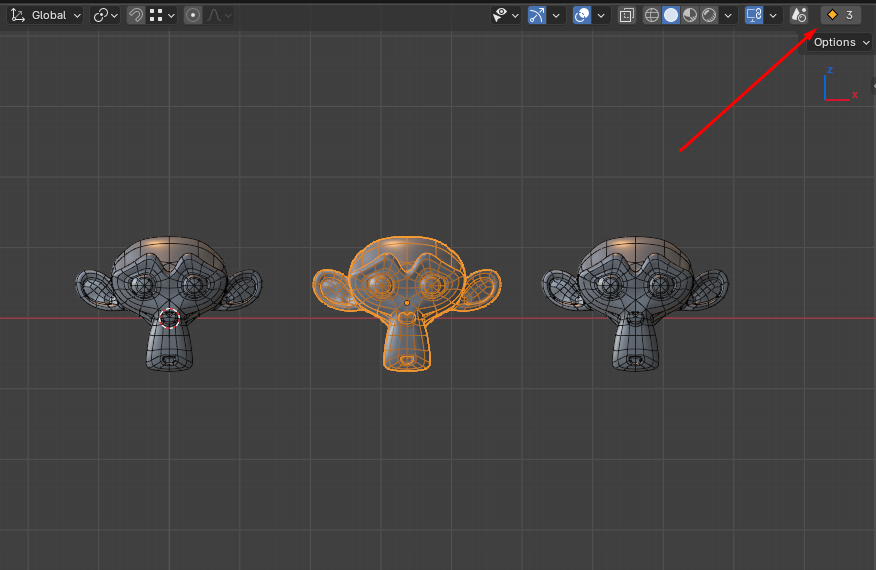
Object Linked Widget is a lightweight yet powerful add‑on for Blender 4.5+ that simplifies working with linked duplicates. It adds a compact button to the 3D‑Viewport header that shows the number of selected objects which are linked copies, and opens a handy menu with essential operations.
Features
- Header indicator – displays the count of selected mesh objects that share their data with others. The icon changes according to your chosen set, giving you a quick visual status.
- Break Links – turns selected linked duplicates into independent objects (copies the mesh data).
- Select Linked – selects all objects that share the same mesh data as the active object.
- Select ALL Linked – selects all visible objects that belong to any linked‑duplicate group (ignores hidden objects).
- Link All to Active – links all selected mesh objects to the active object’s mesh data.
- Copy Modifiers – copies the modifier stack from the active object to all other selected mesh objects.
All operations work with the current selection, support Undo, and are safe for your scene.
Icon Customisation
In the add‑on preferences (Edit → Preferences → Add‑ons → Object Linked Widget), you can choose from six icon sets for the button:
- Default – standard LINKED / UNLINKED icons
- Squares – grey and green squares
- Dot/Yellow Circle – grey dot / yellow circle (my favorite)
- Dot/Blue Circle – grey dot / blue circle
- Dot/Red Circle – grey dot / red circle
- Dot/Green Circle – grey dot / green circle
This lets you match the button’s appearance to your theme or personal taste.
How to Use
- Install the add‑on via Edit → Preferences → Add‑ons (or File → User Preferences in older versions).
- Enable it – the button will appear on the right side of the 3D‑Viewport header, next to the shading mode toggles.
- Select one or more mesh objects. The button shows how many of them are linked duplicates.
- Click the button to open a dropdown menu with all available operations.
- Optionally, change the icon set in the add‑on preferences.
Technical Details
- Compatibility: Blender 4.5.0 and above (tested on 4.5, likely works with newer releases).
━━━━━━━━━━━━━━━━━━━━━━━━━━━━━━━━
Object Linked Widget – это небольшой, но мощный аддон для Blender 4.5+, который упрощает работу со связанными копиями объектов (Linked Duplicates). Он добавляет в заголовок окна 3D‑Viewport компактную кнопку, отображающую число выделенных объектов, являющихся связанными дубликатами, и позволяет одним кликом открыть меню с полезными операциями.
Функционал
- Индикатор в заголовке – показывает количество выделенных объектов, у которых есть связанные копии.
- Break Links – превращает выбранные связанные дубликаты в независимые объекты.
- Select Linked – выделяет все объекты, использующие те же mesh‑данные, что и активный объект.
- Select ALL Linked – выделяет все видимые объекты, входящие в группы связанных дубликатов (игнорирует скрытые).
- Link All to Active – делает все выделенные mesh‑объекты связанными дубликатами активного объекта.
- Copy Modifiers – копирует стек модификаторов с активного объекта на все остальные выделенные mesh‑объекты.
Все операции работают с выделением, поддерживают отмену (Undo) и безопасны для сцены.
Настройка иконок
В настройках аддона (Edit → Preferences → Add‑ons → Object Linked Widget) вы можете выбрать один из шести наборов иконок для кнопки:
- Default – стандартные иконки LINKED / UNLINKED
- Squares – серый и зелёный квадраты
- Dot/Yellow Circle – серая точка / жёлтый круг (мои любимые)
- Dot/Blue Circle – серая точка / синий круг
- Dot/Red Circle – серая точка / красный круг
- Dot/Green Circle – серая точка / зелёный круг
Это позволяет адаптировать внешний вид под вашу цветовую схему или личные предпочтения.
Использование
- Установите аддон через меню Edit → Preferences → Add‑ons.
- Включите его – кнопка появится справа от переключателей режимов шейдинга в заголовке 3D‑Viewport.
- Выберите один или несколько mesh‑объектов. Кнопка покажет количество из них, которые являются связанными дубликатами.
- Нажмите на кнопку, чтобы открыть выпадающее меню со всеми доступными операциями.
- При необходимости измените набор иконок в настройках аддона.
Технические детали
- Совместимость: Blender 4.5.0 и выше (тестировалось на 4.5, вероятно работает и на более новых версиях).
Download
Install instructions
- Download the
.pyfile and install it via Edit → Preferences → Add‑ons → Install... - Don’t forget to enable the checkbox next to the add‑on name.
━━━━━━━━━━━━━━━━━━━━━━━━━━━━━━━━
- Скачайте
.py‑файл и установите его через меню Edit → Preferences → Add‑ons → Install... - Не забудьте включить галочку рядом с названием.
Leave a comment
Log in with itch.io to leave a comment.